

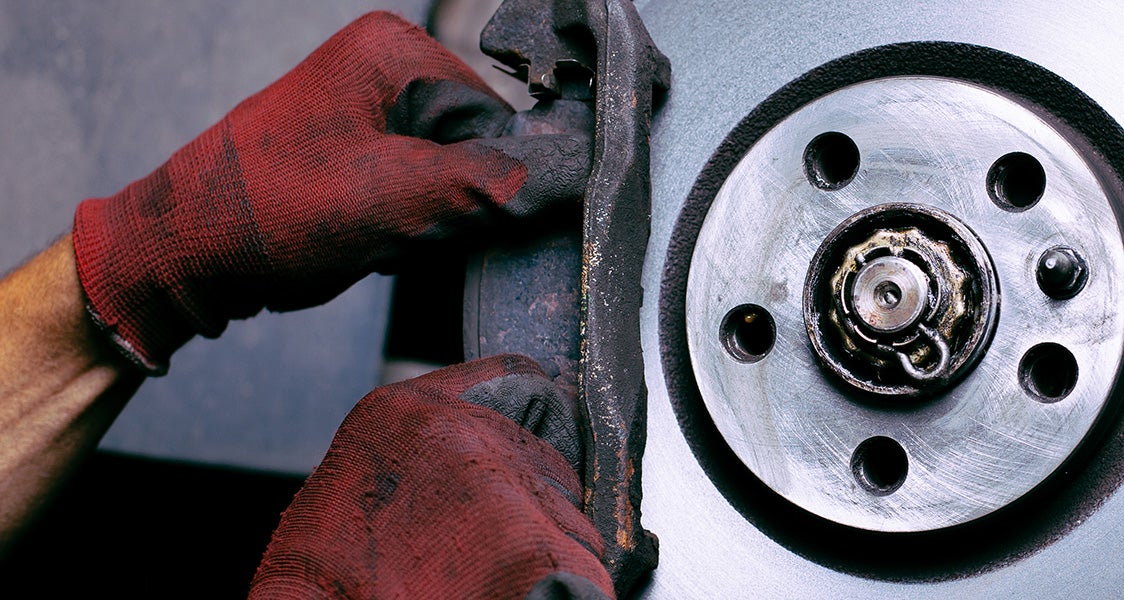
If your GMC Sierra displays a "Service Brake Pad Monitor" warning, the truck may have detected a problem with the system that estimates the remaining life of its brake pads. Possible causes include damaged brake pad wear sensors, disconnected or corroded wiring, worn brake pads, or a fault involving the monitoring system's electronic controls. The message may appear even when your truck seems to stop normally, but that does not confirm the brakes are in good condition. A GMC Sierra Service Brake Pad Monitor warning should prompt an inspection of the actual brake components and the monitoring system before any readings are reset.
For GMC Sierra owners around North Huntingdon, Irwin, North Versailles, and Greensburg, dependable brakes are essential for commuting, hauling, and navigating Western Pennsylvania's changing road conditions. Understanding the difference between a routine brake pad replacement reminder and a monitoring-system warning can help you decide when to schedule service and which symptoms require more immediate attention.
Quick Answer: What Does "Service Brake Pad Monitor" Mean?
The message generally indicates that the brake pad life monitoring system has detected a fault or cannot provide a reliable reading. It is different from a routine reminder that brake pads are nearing the end of their estimated service life.
It does not automatically mean you need new brake pads. However, it also does not guarantee that your current pads are still in good condition. The sensors, wiring, actual pad thickness, and related components may need to be inspected.
If the warning appears without other symptoms, arrange a prompt brake inspection. If you notice grinding, a significant change in brake pedal feel, reduced stopping performance, or an urgent brake system warning, stop safely and seek professional assistance rather than continuing to drive.
How Does the GMC Sierra Brake Pad Life Monitor Work?
Equipped GMC Sierra trucks feature a Brake Pad Life Monitor designed to estimate how much usable brake pad material remains.
Instead of relying only on a fixed mileage interval, the system uses vehicle operating information and brake pad wear sensors to estimate the remaining life of the front and rear brake pads.
The estimated pad life appears in the Driver Information Center, commonly called the DIC, where drivers can view the remaining percentage for the front and rear brakes.
Depending on the model and the current estimated wear, the display may also provide an estimate of how many miles remain before brake pad replacement is recommended.
Why Does the System Show Front and Rear Brake Pad Life Separately?
The front and rear brakes do not necessarily wear at the same rate.
Front brakes often perform a substantial portion of the work during deceleration, but actual wear depends on driving habits, loading, brake system design, and operating conditions.
By monitoring the two axles separately, the Sierra can provide a more useful estimate of when each set of pads may need attention.
However, the displayed percentage is an estimate, not a direct measurement of every brake pad's remaining thickness. A physical inspection is still important, especially if you notice unusual braking symptoms.
Brake Pad Life Reminder vs. Service Brake Pad Monitor Warning
GMC Sierra drivers may encounter several different brake-related displays. Not all of them indicate the same problem.
| Message or Indicator | What It May Mean | Recommended Action |
|---|---|---|
| Front Brake Pad Life: 65% | Normal estimated remaining front brake pad life. | Continue regular inspections and maintenance. |
| Rear Brake Pad Life: 30% | Estimated remaining life for the rear pads. | Monitor the estimate and have the pads inspected as appropriate. |
| Replace Brake Pads or estimated miles remaining | The system estimates that brake pads are nearing or have reached the replacement point. | Arrange a brake inspection and replacement as needed. |
| Service Brake Pad Monitor | The monitoring system may have detected a sensor, wiring, electronic, or other monitoring fault. | Have the actual pads and monitoring system inspected. |
| Brake Pad Life unavailable or invalid | The system may be unable to produce a reliable estimate. | Arrange diagnosis of the sensors and related circuits. |
| ABS Warning | A separate concern involving the anti-lock braking system may be present. | Follow the owner's manual and seek prompt professional evaluation. |
| Red Brake System Warning | A possible problem involving the regular braking system, depending on the circumstances. | Stop safely and follow GMC's urgent brake warning instructions. |
Dashboard terminology varies by model year and equipment. A routine brake pad life estimate is not the same as a warning that the monitoring system needs service.
Common Causes of the GMC Sierra Service Brake Pad Monitor Warning
Several different issues may interfere with the system's ability to estimate brake pad wear. The warning identifies a concern that needs investigation, but it does not confirm a particular failed component.
1. Damaged Brake Pad Wear Sensors
Brake pad wear sensors provide information used by the monitoring system to refine its estimated remaining pad life.
Depending on the vehicle's design, these sensors may be affected by wear, physical damage, or an interrupted electrical connection.
If a sensor stops communicating as expected, the Sierra may no longer be able to calculate a reliable pad life reading.
However, a sensor fault does not automatically prove the brake pads are worn out. A technician should inspect the sensor and measure the actual brake pad thickness before deciding which parts need replacement.
2. Worn Brake Pads
Brake pads gradually wear as their friction material contacts the brake rotors during braking.
When the pads become sufficiently worn, a wear sensor or conventional mechanical wear indicator may be affected.
The monitoring system is intended to provide advance notice of pad replacement needs, but actual wear should always be confirmed through inspection.
If the pads are worn, replacing the correct components and completing the appropriate monitoring-system procedure may resolve the issue.
GMC recommends replacing brake pads as complete axle sets rather than replacing a single worn pad.
3. Disconnected or Damaged Sensor Wiring
Wear sensors rely on electrical connections to communicate with the vehicle's braking electronics.
A damaged wire, loose connector, or poor electrical connection may prevent the system from reading the sensor properly.
In some cases, a wire may be damaged by physical contact with nearby moving components or improper routing during previous brake work.
This is one reason a Service Brake Pad Monitor warning may appear after a brake pad replacement, even when the new pads themselves are in good condition.
4. Moisture, Corrosion, or Electrical Problems
Braking components operate in an environment exposed to road spray, debris, temperature changes, and moisture.
Over time, damaged seals, connector problems, or wiring corrosion can contribute to intermittent electrical faults.
Western Pennsylvania's wet roads and winter road treatments can make inspecting exposed connections particularly relevant.
However, snow or road salt alone does not prove that a sensor or connection has failed. Electrical testing is necessary to determine whether a circuit problem is present.
5. Monitoring System Control or Calibration Issues
The brake pad life monitoring system uses electronic controls and calculated estimates, so a problem with system information or calibration may affect the displayed reading.
GM has documented specific cases involving certain earlier Sierra vehicles in which the calculated brake pad life decreased too quickly or monitoring-system warnings appeared because of a software-related concern.
That does not mean all Sierra trucks have a software problem. Any applicable update or calibration should be determined using the truck's model year, VIN, diagnostic trouble codes, and GM service information.
6. Brake Service Without the Appropriate Monitor Reset
When brake pads are replaced, the Brake Pad Life Monitor needs to be reset according to GMC's instructions.
If the work is completed without the appropriate reset or sensor-related procedures, the displayed pad life may not accurately reflect the newly installed components.
However, a reset alone will not correct a damaged sensor, disconnected wire, or other unresolved fault.
Why Does My GMC Sierra Say Service Brake Pad Monitor When the Brakes Seem Fine?
A monitoring-system warning can appear even when the brake pedal feels normal and the truck seems to stop as expected.
This is possible because the brake pad monitoring system and the mechanical braking components perform different functions.
The brake pads, rotors, and calipers physically slow the truck. The Brake Pad Life Monitor estimates pad wear and provides maintenance information.
A fault in the monitoring system may prevent an accurate estimate without immediately changing how the brakes feel.
However, a normal-feeling brake pedal does not confirm that the pads are thick enough, the rotors are in good condition, or every brake component is operating properly.
The safest way to confirm the condition of your brakes is through an inspection of the actual components.
What Brake Warning Signs Should GMC Sierra Owners Watch For?
Even if the Service Brake Pad Monitor message is related to a sensor or monitoring fault, drivers should pay attention to symptoms that may indicate a separate braking concern.
Squealing or Chirping Noises
Some brake pads include mechanical wear indicators designed to produce a high-pitched sound when the friction material becomes sufficiently worn.
This noise may occur during braking or, in some cases, while the vehicle is moving without the brake pedal being pressed.
Not every squeal means the pads are worn out, but persistent or recurring noises deserve inspection.
Grinding While Braking
Grinding can indicate serious wear or another mechanical issue involving the braking components.
Continuing to drive with severe grinding may damage the rotors or compromise braking performance.
If the noise is severe, new, or accompanied by reduced braking response, stop safely and arrange professional assistance.
Brake Pedal Pulsation or Steering Wheel Vibration
Pulsation or vibration during ordinary braking may indicate uneven rotor conditions or another problem requiring inspection.
This symptom is not necessarily caused by the brake pad monitoring system itself.
Brief pedal pulsation during certain hard-braking situations can also be associated with normal ABS operation. A technician can help distinguish ordinary ABS intervention from an ongoing braking concern.
Changes in Brake Pedal Feel
A brake pedal that suddenly feels unusually soft, sinks farther than normal, or requires significantly more effort is a serious warning sign.
These symptoms may involve the hydraulic brake system or other braking components rather than the pad monitor.
If pedal response changes substantially or the truck does not stop normally, stop safely and arrange towing or qualified roadside assistance.
Longer Stopping Distances
If your Sierra needs noticeably more distance to slow down, do not assume the problem is merely an electronic monitoring warning.
Reduced braking performance needs immediate attention. Find a safe place to stop and arrange assistance rather than continuing your trip.
Important: When to Stop Driving Your GMC Sierra
A Service Brake Pad Monitor warning by itself does not establish that the truck has lost braking ability. However, do not continue driving if actual braking performance is reduced.
Stop safely and arrange qualified assistance if you notice severe grinding, a significantly changed brake pedal, longer stopping distances, fluid leaks, or a persistent red brake system warning.
If you are uncertain whether the truck can be operated safely, contact a service professional for guidance. Towing may be the appropriate choice.
Why You Shouldn't Reset the Brake Pad Life Monitor Without an Inspection
Some Sierra models allow drivers to reset the displayed brake pad life percentage through the Driver Information Center.
However, the reset function is intended for use after the appropriate brake pad replacement and related service procedures.
Resetting the percentage without inspecting the brakes does not restore worn friction material or repair a damaged sensor.
It may also make the displayed estimate misleading by suggesting that older brake pads have more remaining life than they actually do.
When Should the Brake Pad Monitor Be Reset?
GMC instructs owners to reset the Brake Pad Life Monitor after brake pads have been replaced.
Depending on the vehicle, the system may prompt for a reset after detecting replacement pads and sensors. Other configurations allow the reset through the instrument cluster.
Certain service procedures may require additional diagnostic equipment or system functions.
The correct procedure depends on your Sierra's model year and braking system. A technician should confirm that the brake components and sensors are properly installed before completing the reset.
Will Resetting the System Clear a Service Brake Pad Monitor Warning?
Not necessarily. If the warning is caused by a damaged sensor, electrical fault, or another monitoring-system issue, resetting the displayed pad life may not resolve the underlying problem.
The warning could return, and the system may still be unable to provide a reliable estimate.
Professional diagnostics help determine whether the truck needs brake pads, a sensor or wiring repair, a monitoring-system service procedure, or another correction.
Why Brake Inspections Matter During Western Pennsylvania Winters
Rain, snow, freezing temperatures, and winter road treatments can make reliable brakes especially important around Western Pennsylvania.
Wet or icy pavement can increase stopping distances because tire traction is reduced. A brake pad monitoring fault adds uncertainty about the condition of your truck's braking components.
Commuting Around North Huntingdon and Irwin
Drivers traveling between North Huntingdon and Irwin may encounter daily traffic, hills, and changing pavement conditions.
If your Sierra displays a brake pad monitor warning, scheduling an inspection can help confirm the condition of the pads, rotors, and sensors before the problem becomes more inconvenient.
Driving Around North Versailles
Drivers commuting through North Versailles may deal with frequent stops, changing traffic patterns, and wet pavement.
Repeated braking is part of normal vehicle operation, but the condition of the pads and rotors matters regardless of what the monitor currently displays.
A physical inspection is particularly useful if the truck has developed new squealing, grinding, or vibration.
Travel Around Greensburg
GMC Sierra owners around Greensburg may use their trucks for commuting, family transportation, hauling, and regional highway trips.
Driving conditions, vehicle weight, and braking habits can affect how quickly the pads wear.
If the monitor displays an unexpected reading or a recurring service warning, have the braking system evaluated before relying on the displayed percentage.
Winter Road Salt and Brake Components
Road salt and moisture can contribute to corrosion over time. This makes regular inspection of brake components and relevant electrical connections useful in areas where winter road treatment is common.
A service warning does not automatically establish that corrosion caused the problem. The actual fault should be confirmed during diagnosis.
Remember that even properly maintained brakes require adequate tire traction. Reduce speed and increase following distance during wet, snowy, or icy conditions.
What Should You Do When Your GMC Sierra Displays Service Brake Pad Monitor?
If the warning appears, a few safe observations may help the service team understand the concern.
- Read the exact message. Note whether the dashboard says "Service Brake Pad Monitor," displays a remaining pad life percentage, or recommends replacing the pads.
- Watch for additional brake warnings. A red brake warning, ABS malfunction message, or change in braking performance may require a different response.
- Notice unusual sounds or vibrations. Squealing, grinding, pedal pulsation, or steering wheel vibration can provide useful diagnostic clues.
- Do not reset the percentage to remove the message. Wait until the brake pads and monitoring system have been inspected and the appropriate service performed.
- Check whether the warning followed recent brake work. Tell the service team if pads, rotors, or sensors were recently replaced.
- Arrange a brake inspection. A technician can evaluate the actual brake components and determine whether the monitor is producing accurate information.
- Stop driving if braking performance is reduced. If the truck becomes difficult to stop or develops serious braking symptoms, arrange qualified roadside assistance.
Avoid clearing diagnostic trouble codes or disabling the monitor simply to make the warning disappear before identifying the cause.
How Do GMC Technicians Diagnose a Brake Pad Monitor Warning?
Professional brake pad monitoring diagnostics involve checking both the physical condition of the brakes and the system that estimates their remaining life.
Depending on your Sierra's model year and reported symptoms, the inspection may include:
- Measuring brake pad thickness: Checking the remaining friction material on the applicable front and rear pads.
- Inspecting brake rotors: Evaluating rotor condition, thickness, and signs of irregular wear or damage.
- Checking wear sensors: Looking for damaged sensors, improper installation, or sensor-related faults.
- Inspecting wiring and connectors: Identifying possible loose connections, damaged circuits, corrosion, or wiring problems.
- Reading diagnostic trouble codes: Checking the appropriate brake system control modules for faults that may affect the monitor.
- Reviewing applicable service information: Determining whether specific diagnostic procedures or calibration updates apply to the vehicle.
- Performing the appropriate reset after service: Updating the monitor following confirmed brake pad replacement and any necessary sensor-related work.
A diagnostic trouble code may help identify the affected axle, sensor circuit, or monitoring function. However, a code does not always identify a failed component without additional testing.
The objective is to determine whether your truck needs new brake pads, a wiring or sensor repair, or another monitoring-system correction.
Riverview GMC's Certified Brake Service Department offers brake inspection and repair support for GMC owners throughout North Huntingdon and surrounding Western Pennsylvania communities.
Do You Need New Brake Pads if the Monitor Says Service?
Not automatically.
The warning may be caused by worn pads, but it can also indicate a problem with the monitor's sensors, wiring, or electronic controls.
A technician should inspect the pads and measure their actual thickness before determining whether replacement is necessary.
If the pads are worn, replacement should follow GMC's recommendations for the applicable axle and vehicle configuration.
If the pads are still in acceptable condition, the diagnostic process can focus on why the monitoring system is reporting a fault.
Can You Replace GMC Sierra Brake Pads Without Replacing the Sensors?
The correct repair depends on the sensor condition and the specific Sierra braking system.
If a wear sensor has been damaged, worn through, or is otherwise unsuitable for reuse, replacement may be necessary.
Other brake service procedures may involve inspecting and properly reconnecting sensors that remain usable under the manufacturer's instructions.
The service team should confirm the correct parts and installation procedures for your truck rather than assuming all Sierra model years use identical sensor arrangements.
Riverview GMC can help with GMC Certified Service and GM Genuine Parts or ACDelco replacement components when repairs are needed.
When Should You Schedule GMC Sierra Brake Service?
Consider scheduling a brake inspection if:
- The Service Brake Pad Monitor warning remains on or repeatedly returns.
- The front or rear brake pad life percentage seems inconsistent with recent service.
- The system no longer displays an estimated pad life.
- The warning appeared after brake pad or rotor replacement.
- You hear persistent squealing or chirping.
- You notice vibration or pulsation during ordinary braking.
- Your truck is due for routine brake maintenance.
- You want to confirm brake condition before winter travel or longer trips.
If the truck develops severe grinding, significant pedal changes, reduced stopping capability, or an urgent brake system warning, do not continue normal driving. Stop safely and arrange professional assistance.
For GMC brake service in North Huntingdon, PA, Riverview GMC provides brake inspections and repair support for Sierra trucks and other GMC vehicles.
Frequently Asked Questions About GMC Sierra Service Brake Pad Monitor Warnings
What does Service Brake Pad Monitor mean on a GMC Sierra?
It generally means the truck has detected a problem with the brake pad life monitoring system. Possible causes include damaged wear sensors, wiring faults, monitoring-system errors, or an issue identified during brake wear monitoring. An inspection is needed to determine the actual cause and condition of the brake pads.
Does Service Brake Pad Monitor mean I need new brake pads?
Not necessarily. The warning may be related to a sensor or electrical problem rather than worn-out pads. However, actual pad thickness should be checked to confirm whether replacement is needed.
Can I drive with the Service Brake Pad Monitor warning?
The warning alone does not necessarily indicate reduced braking performance, but it means the monitoring system may not provide reliable pad life information. Arrange a prompt inspection. If braking performance changes, the truck makes severe grinding noises, or an urgent brake warning appears, stop safely and arrange assistance.
Why does my GMC Sierra show Service Brake Pad Monitor after new brakes?
Possible explanations include a sensor or wiring problem, improper sensor installation, or a monitoring system that has not been correctly reset following replacement. The actual cause should be determined through inspection and diagnostics.
How accurate is the GMC Sierra Brake Pad Life Monitor?
The system estimates remaining brake pad life using vehicle operating information and wear sensors. It provides a useful maintenance estimate but does not replace physically checking the pads, rotors, and other braking components.
Can a bad brake pad wear sensor cause the warning?
Yes. A damaged or malfunctioning wear sensor can interfere with the monitoring system's readings. Wiring and connector issues may produce similar symptoms, so the sensor and related circuits should be tested before replacement.
Should I reset my GMC Sierra brake pad life percentage?
GMC instructs owners to reset the Brake Pad Life Monitor after brake pad replacement. Do not reset the displayed percentage simply to clear a warning before the physical brake condition and monitoring system have been checked.
Does brake grinding mean my brake pads are worn out?
Grinding can indicate severe pad wear or another mechanical braking problem, but the sound alone does not identify the cause. Severe or persistent grinding deserves prompt evaluation, especially if braking response has changed.
Why does my GMC Sierra brake pedal pulsate?
Brake pedal pulsation may be associated with rotor irregularities, other braking issues, or normal ABS operation during certain hard-braking conditions. Repeated pulsation during ordinary braking should be evaluated rather than assumed to be caused by the pad monitor.
Can winter weather affect GMC Sierra brake sensors?
Moisture, road debris, and corrosion may contribute to problems involving exposed wiring or electrical connections. However, a winter-related warning does not prove a sensor has failed. Inspection and electrical testing are needed to confirm the cause.
Where can I schedule GMC Sierra brake service near North Huntingdon, PA?
Riverview GMC provides Certified Brake Service for drivers from North Huntingdon, Irwin, North Versailles, Greensburg, and nearby Western Pennsylvania communities. You can request a brake service appointment online or call the service department at 412-271-3100.
Schedule GMC Sierra Brake Inspections at Riverview GMC
A Service Brake Pad Monitor warning may involve brake wear sensors, wiring, electronic controls, or the condition of the brake pads themselves. Because multiple issues can produce similar warnings, identifying the actual cause is important before recommending repairs.
Riverview GMC's Certified Service department provides brake inspection and repair support for GMC Sierra owners throughout North Huntingdon, Irwin, North Versailles, Greensburg, and surrounding communities.
When requesting service, mention your Sierra's model year, the exact message displayed, whether your brake pads were recently replaced, and any new sounds or changes in pedal feel.
Our service team can help determine whether the truck needs brake pad replacement, sensor or wiring repairs, or another monitoring-system procedure.
You can also review current GMC service and parts specials for applicable brake maintenance offers. Special pricing or discounts may not apply to diagnostic testing or every type of repair.
This article provides general educational information and does not replace the GMC owner's manual or professional brake inspection. Brake pad monitoring systems, warning messages, wear sensor configurations, and reset procedures vary by model, model year, and equipment. The displayed brake pad life percentage is an estimate and does not guarantee the physical condition of the brakes. Never reset the monitor to conceal a warning or substitute for inspecting worn components. If braking performance is reduced, the pedal behaves abnormally, or a serious brake system warning appears, stop safely and arrange qualified roadside assistance or towing.