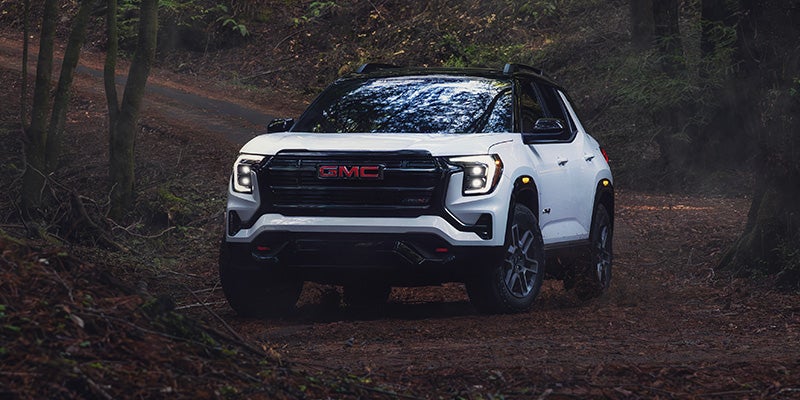



A dealership visit is your opportunity to find out whether an SUV’s features work for your routine. Can you settle into a comfortable driving position? Find the defrost controls quickly? Load your usual gear without folding every rear seat? The 2027 GMC Terrain features a five-passenger cabin, flexible storage, and a large center touchscreen. At Riverview GMC in North Huntingdon, explore those details firsthand before deciding which equipment matters to you. Adjust the Seat Before Evaluating Comfort Start by positioning the driver’s seat and steering wheel. Check your view over the hood, access to the pedals, and whether your legs feel supported. Then place your hands on the wheel and see whether the armrests are comfortable. Heated front seats and a heated steering wheel are standard on Elevation. Seating materials change across the lineup: Elevation offers premium cloth or available CoreTec upholstery, while AT4 combines premium cloth and CoreTec with distinctive accents. Denali includes perforated leather-appointed seating, heated and ventilated power front seats, and heated rear outboard seats. Try the adjustments and comfort controls on the actual vehicle. Materials and equipment can change the experience, but your seating position remains the deciding factor. Try Everyday Tasks on the Touchscreen The Terrain includes a 15-inch diagonal Premium GMC Infotainment System and an 11-inch diagonal Driver Information Center. The center screen handles infotainment and vehicle functions, while the driver display puts driving information ahead of the steering wheel. While parked, open the audio menu, adjust a setting, and return to the home screen. Locate temperature, fan, and windshield-defrost controls, and ask your consultant to demonstrate how the touchscreen and surrounding controls work together. Google built-in supports functions such as directions through Google Maps and voice requests through Google Assistant. Ask which features require connectivity, account setup, or an active service plan. If smartphone integration matters to you, bring your compatible phone and test the connection. When evaluating GMC Terrain interior and technology features, pay attention to reach and readability. A large screen is most useful when the functions you need feel easy to access. Put Your Everyday Items in the Cabin The front center console includes passthrough storage. Rather than judging it empty, try placing your handbag, small backpack, or other regularly carried item in the space. Check the cupholders with your usual travel mug. Find a practical location for your phone and charging cable, and confirm that passengers can reach the charging connections provided in that vehicle. Also open the covered storage areas. Consider whether you can organize sunglasses, a wallet, and small essentials without leaving everything loose around the console. Check Rear-Seat Space and Flexibility The 60/40 split-folding rear seat lets you expand the cargo area while retaining seating on one side. Try folding each section and returning it to its upright, latched position. Have a passenger sit behind your normal driving position. Check knee room, foot space, headroom, and access through the rear doorway. If you use a child seat, bring it along. Follow the vehicle and child-seat instructions, check access to the appropriate anchors, and confirm that the installed seat leaves adequate room for the front passenger. Load the Cargo Area and Open the Underfloor Storage The Terrain includes a rear cargo underfloor storage compartment. Lift the floor panel and see whether the compartment suits smaller items you want to keep separate from the main load area. Bring a stroller, folding chair, cooler, or another frequently carried item. Try loading it with the rear seats upright first. Check the opening, lift-over height, and room remaining for additional bags. If the vehicle has the AutoSense power liftgate, ask for a demonstration. This available feature can open the liftgate when you approach the rear with the key fob. Confirm its settings, clearance requirements, and operation on the specific Terrain. Confirm Equipment Before Your Test Drive Elevation, AT4, and Denali share the Terrain’s core layout, but comfort, camera, and convenience equipment vary. Available packages can also change what is installed. Use the vehicle’s window sticker to confirm the features you have tried. Browse new GMC inventory at Riverview GMC, then contact the team to arrange a Terrain demonstration. Bring your phone, passengers, and everyday gear so the visit answers practical questions about living with the SUV.